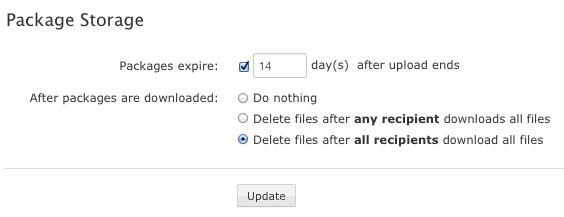
Within the Faspex Server Web UI, go to to view and/or modify your server's package expiration and deletion behavior. After modifying these settings, you must click the Update button to save your changes.
| Configuration Option | Description |
|---|---|
| Packages expire | Once a package is uploaded to the Faspex Server, the link to view the package will expire after the specified number of days. |
| After packages are downloaded | Select from one of the following auto-deletion rules:
|
IMPORTANT NOTE: The package storage location is your local docroot + the directory specified under your Transfer Server settings. The source location is the remote node's docroot + the file share location.