When you browse a share, you see all files and directories within that share. The
Total Count displays the total nubmer of entries (files and folders)
in the current share.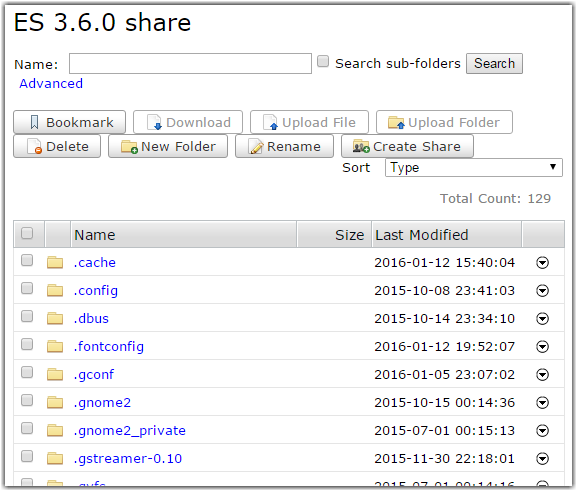
Note: You might not see all the options listed. You will only see options that
you have permissions to access. If you believe that you have restricted access in error,
contact your system administrator.
You can also search for a directory name and sort the directory list. You can perform
following actions on a directory or directories:
| Action | Description |
|---|---|
| Bookmark | Create a shortcut to the selected directory. If you do not select any directory, the bookmark is the node's root directory. |
| Download | Download the selected directory or directories using the IBM Aspera Connect Browser Plug-In. |
| Upload | Upload a file or folder from another machine to this node using the IBM Aspera Connect Browser Plug-in. |
| Delete | Delete the selected directory or directories. |
| New Folder | Create a new directory on the node. |
| Rename | Rename an existing directory on the node. |
| Create Share | Create a share for the selected directory. You can only select one directory at a time. Click Create Share to open the New Share dialog. This dialog is prepopulated with the node and directory information. To complete the other fields, you must be an administrator. |