Enabling Root Account
If your organization has the Aspera Console installed in the network environment, and you wish to add this computer as a Console managed node, the root account on OS X should be enabled.
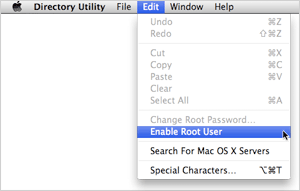
Go to and execute Directory Utility.
Select Click the lock to make changes. On the Menu bar, select . Set the password if prompted.