Log Files
The log file includes detailed transfer information and can be useful for review and support requests.
To view the application log, go to .
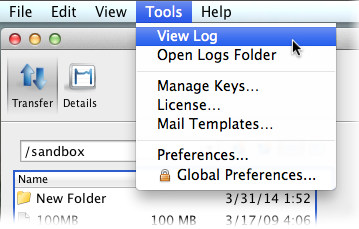
To review logs of other components, click Open Logs Folder to open the folder that contains transfer logs:
homedir/Library/Logs/Aspera/The following files are available in the log folder. Older logs are stored with the same filename, appended with incremental numbers (e.g. ascmd.0.log).
| File name | Contents |
|---|---|
| ascmd.log | File browsing and manipulation in the GUI |
| asconfigurator.log | Server configuration events |
| asnodeadmin.log | Node API events |
| asperacentral.log | Aspera Central events (transfers, web services, and database) |
| aspera-scp-HTTP-transfer.log | HTTP fallback server events |
| aspera-scp-transfer.log | FASP transfer events |
| async.log | Sync events |
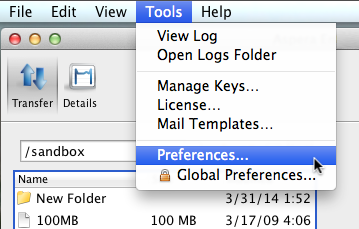
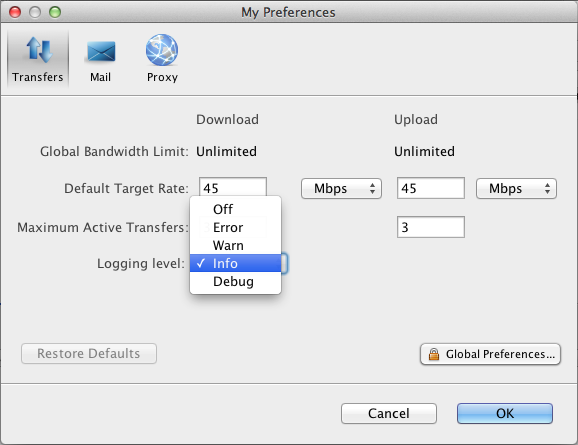
To set the logging level for transfers, open the My Preferences dialog by clicking Tools > Preferences or by clicking Preferences in the upper-right corner of the application window.
The five logging levels to select from are: Off, Error, Warn, Info, and Debug. The system default is Info.
If you find that logs are being overwritten before long transfers of many files are complete, you can increase the log size. For more information, see Logs Overwritten Before Transfer Completes.