Configuration Precedence
Enterprise Server gives precedence to settings as follows, where user settings have the highest priority and default settings have the lowest.
- User
- Group (if a user belongs to more than one group, a precedence can be set for each group.)
- Global
- Default
The table below shows the setting values that are applied to user aspera_user_1 in bold when that user is also a member of several groups and global settings are configured. In this example, aspera_user_1 is a member of both the admin and xfer groups. The admin group's precedence setting is 0, which supersedes the xfer group's setting of 1:
| Options | User aspera_user_1's Settings | Group admin's Settings | Group xfer's Settings | Global Settings | Default Settings |
|---|---|---|---|---|---|
| Target rate | 5M | 10M | 15M | 40M | 45M |
| Min rate | n/a | 2M | 8M | 3M | 0 |
| Policy | n/a | n/a | Low | Fair | Fair |
| Docroot | n/a | n/a | n/a | /pod/$(name) | n/a |
| Encryption | n/a | n/a | n/a | n/a | any |
Configuring Precedence of Groups
You can configure a group's precedence from the GUI or by editing aspera.conf.
GUI:
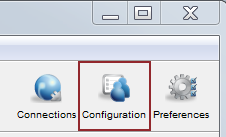
To configure it from the GUI, launch the application and click Configuration.
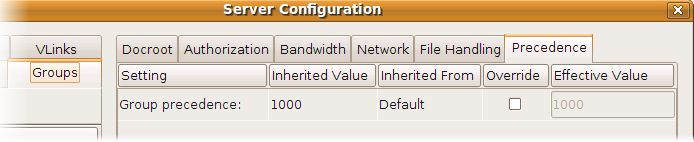
In the Server Configuration dialog, select the Groups tab, choose a group, and select the Precedence tab. (The Precedence tab does not appear if there are no groups.) Select the Override checkbox and enter a precedence number for the group.
Editing aspera.conf:
You can configure a group's precedence in aspera.conf by running the following asconfigurator command:
# asconfigurator -x "set_group_data;group_name,group_name;precedence,value"This adds a <group> section to
aspera.conf like the one below. In this example, group
"admin" has higher precedence than group "xfer".
<groups>
   <group>
      <name>admin</name>
      <precedence>0</precedence>
      ...
   </group>
   <group>
      <name>xfer</name>
      <precedence>1</precedence>
      ...
   </group>
</groups>
You can also edit aspera.conf manually by opening it with administrative privileges:
/opt/aspera/etc/aspera.conf
In the file, locate the entry for each group, add the <precedence> option, and assign a precedence value as shown in the example above. After editing the file, validate the XML form and option values by running the following command:
# /opt/aspera/bin/asuserdata -v