Pre- and post-processing script examples.
Pre- and post-processing script examples are shown below ("bash" syntax). To run these examples on your own system, do the following:
Note:
- Save the example to /opt/aspera/var/myscript.sh.
- Ensure that the script file is executable -- for example:
chmod +x /opt/aspera/var/myscript.sh
- Add a line /opt/aspera/var/myscript.sh to /opt/aspera/var/aspera-prepost to call myscript.sh.
- Be sure not encounter an exit condition in aspera-prepost before you call your script.
-
Shell - Forward files to another computer
In the shell script, transfer received files to a third computer 10.10.10.10, and remove the local copy.
Important: For this example to work properly, the server's host key must be cached.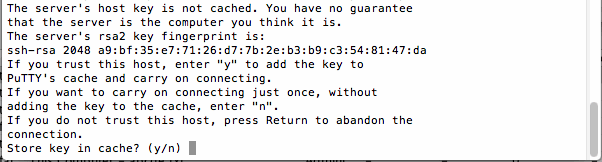
#!/bin/bash
TARGET=aspera@10.10.10.10:/tmp
RATE=10m
export ASPERA_SCP_PASS=aspera
if [ $TYPE == File ]; then
  if [ $STARTSTOP == Stop ]; then
    if [ $STATE == success ]; then
      if [ $DIRECTION == recv ]; then
        logger -plocal2.info "Move file $FILE to $TARGET"
        ascp -T -o RemoveAfterTransfer=yes -l $RATE $FILE $TARGET
      fi
    fi
  fi
fi