The Shares application supports the Lightweight Directory Access Protocol (LDAP) and can be
configured to connect to a directory service. The following directory service databases are
supported:
- Active Directory (AD)
- Apple Open Directory
- Fedora Directory Server
- Open LDAP
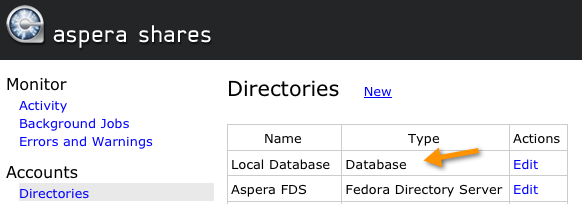
Note that Shares already has a default, local database. When you add local users, they will
automatically be added to Local Database (viewable via ). For additional information on setting up local users, please refer to Configuring Local Users.
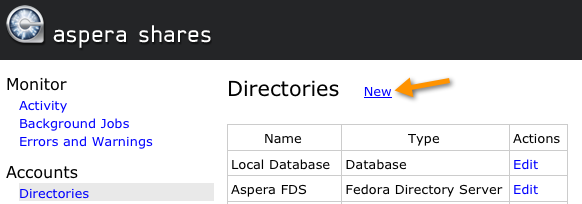
To add a new directory service account, log into Shares and go to .
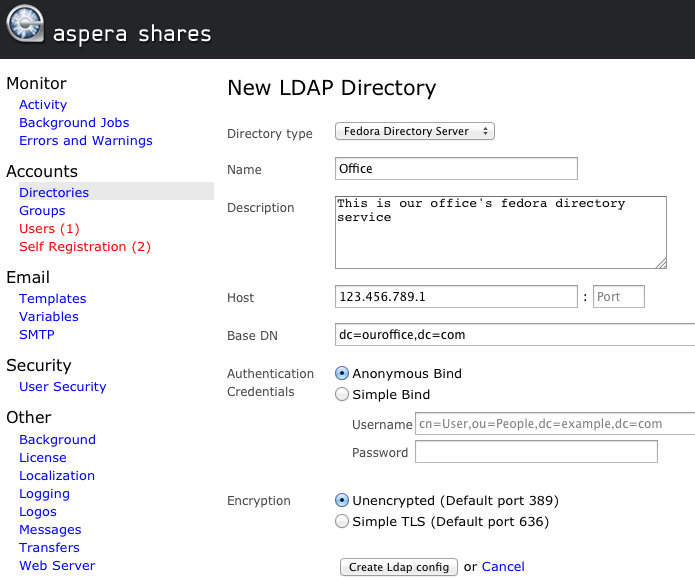
Complete the form that appears with your specific directory service's settings and click the
Create ldap config button. An example is shown below, along with a
description of all settings in the proceeding table.
| Option |
Description |
| Directory Type |
Select your directory service type from one of the following options:
- Active Directory (AD)
- Apple Open Directory
- Fedora Directory Server
- Open LDAP
|
| Name |
Input a name for this directory service. |
| Description |
Input a description for this directory service. |
| Host |
The directory's address and port number. By default, unsecured LDAP uses port 389,
unsecured global catalog uses port 3268, and global catalog over SSL uses port
3269. |
| Base DN |
The search treebase (e.g. dc=myCompany,dc=com for myCompany.com) |
| Authentication Credentials |
- Anonymous Bind
- Simple Bind
If Simple Bind is selected, then you are required to input your directory
service user name, which is typically a Distinguished Name (DN) (e.g.
CN=Administrator,CN=Users,DC=myCompany,DC=com) and directory service password.
|
| Encryption |
- Unencrypted (Default port 389)
- Simple TLS (Default port 636)
NOTE: Aspera highly recommends selecting Simple TLS to secure your
server. By default, LDAP traffic is transmitted unsecured. You can make LDAP
traffic confidential and secure by enabling TLS. |
Now that you have added your directory service to Shares, you can configure specific settings for your DS
user(s) and group(s).