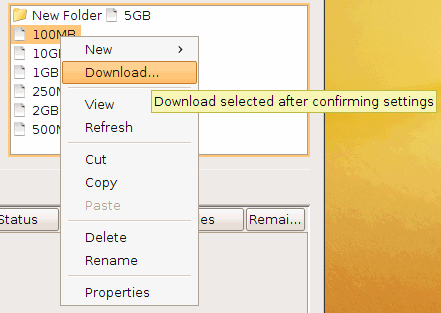
Transfer notifications can be sent upon transfer start, complete, and error. Follow these instructions to select and apply them to your transfer sessions:
-
Preview mail templates.
Preview existing templates to decide which one to use. In the application, click Tools > Mail Templates to open the Mail Template window. Select an existing template and click
 . In the Edit Template window, click
Preview to view the template's output example. For
instructions on how to create a new template or edit an existing one, see Configuring Transfer Notifications.
. In the Edit Template window, click
Preview to view the template's output example. For
instructions on how to create a new template or edit an existing one, see Configuring Transfer Notifications. -
Enable email notifications for connections.
To configure which emails will be sent to specified recipients on specified events, click Connections on the main page of the application, select the connection, and select the Tracking tab. Select Send email notifications, which enables you to do the following:
Item Description When Check the events for which to send notifications. Subject Customize the subject line, which can use the same template fields as described in Configuring Transfer Notifications. To Enter the recipients, comma separated. Template Select a mail template. Message Optionally enter a message to include in the notifications. 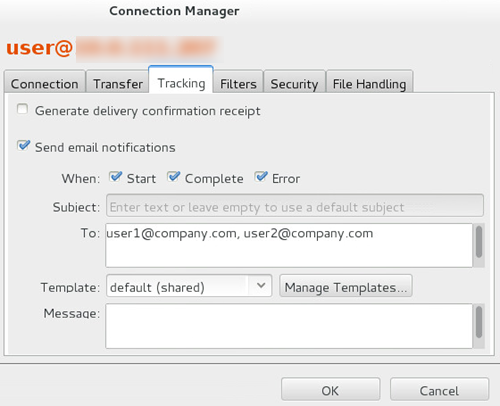
Click OK to save your changes.
-
Set up notifications for transfers.
Email notifications can also be applied to transfer sessions. In the file browser of the application, right click the file or directory and click Upload or Download. Go to the Tracking tab and select Send email notifications. Refer to the previous section for information on the settings.