Scheduling and Customizing Transfers in Advanced Mode
You can start a transfer in advanced mode to set per-session transfer options, such as filters, security, and scheduling, that override the default transfer settings.
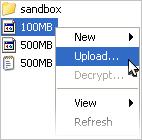
To initiate a transfer in advanced mode, right-click a file or folder to open the context menu and select Upload (in the client panel) or Download (in the server panel).
The advanced transfer dialog includes the following configuration tabs:
| Tab | Description |
|---|---|
| Transfer | The transfer session-related options, such as the transfer speed and retry rules. |
| Tracking | Options for tracking the transfer session, including the confirmation receipt and the email notifications. |
| Filters | Create filters to skip files that match certain patterns. |
| Security | Enable the transfer encryption and the content protection. |
| File Handling | Set up resume rule, preserve transferred file attributes, and remove or move source files. |
| Scheduling | Schedule this transfer. |
Scheduling
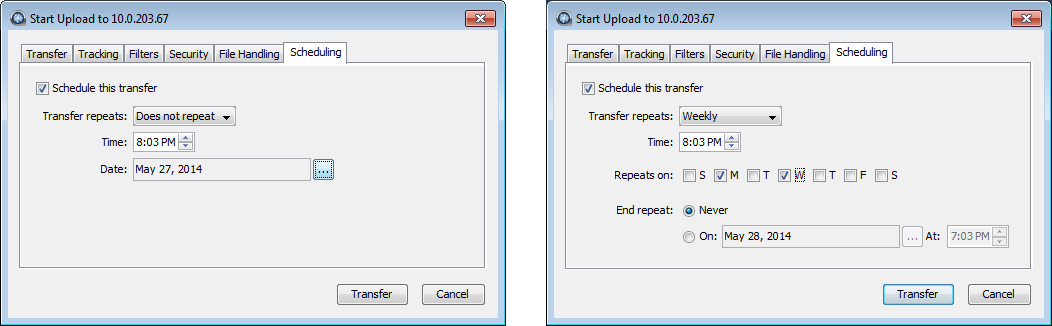
To enable transfer scheduling, select Schedule this transfer. When finished, click Transfer. The following scheduling options are available in the Transfer repeats dropdown menu:
- Does not repeat
- Set the time and date for a single transfer.
- Daily
- Set the time for a daily transfer. For End repeat, select Never to continue daily transfers indefinitely, or On and set an end date and time.
- Monday-Friday
- Set the time for a daily transfer only on weekdays. For End repeat, select Never to continue daily transfers indefinitely, or On and set an end date and time.
- Weekly
- Select the time and days of the week for a repeating transfer. For End repeat, select Never to continue weekly transfers indefinitely, or On and set an end date and time.
- Periodically
- Set the frequency to repeat the transfer, in minutes.
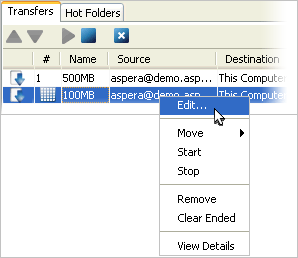
Click Transfer to submit the scheduled transfer. The transfer
is then listed under the Transfers tab, along with an icon ( ) under the # column.
To modify the transfer, right-click it and select Edit to view the transfer settings.