Testing a User-Initiated Remote Transfer
Follow the steps below to test an incoming connection from a remote client machine to the Connect Server.
Prerequisites:
- The client machine must have an Aspera transfer product, such as IBM Aspera Desktop Client or IBM Aspera CLI, installed on it. Aspera CLI, the command line client, is freely available for download from the following site:
- The server must have at least one Aspera transfer user (a system user account that is configured to authenticate Aspera transfers) configured on it. For instructions on adding a transfer user, see Setting Up Users.
-
Test the Web UI with the client machine
The client machine must be running a supported operating system and browser, as described in Requirements, and cookies must be enabled in the client's browser.
Go to the following address in the browser:
HTTP http://server_ip_or_name/aspera/user HTTPS https://server_ip_or_name/aspera/user The IBM Aspera Connect banner appears with a link to download and install the latest version of Connect:
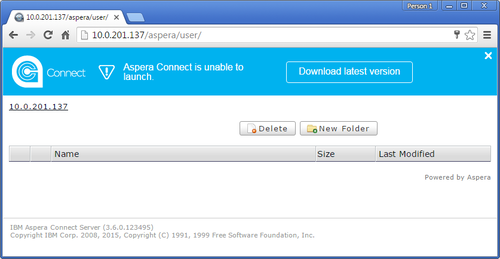
Click Download latest version.
Once the installation is complete, refresh the page and the Web UI for Connect Server appears:
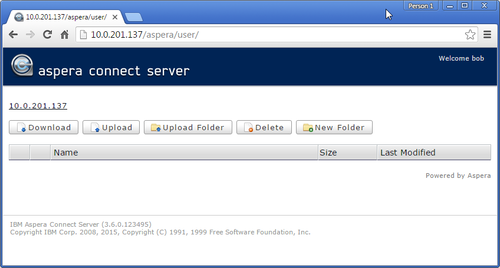
In the Web UI, click Upload and select one or more files to upload to Connect Server. When the transfer is finished, select the uploaded files in the Web UI, and click Download.
Note: When you add files to the Web UI, do not use the following characters in the filenames:/ \ " : ' ? > < & * |For more information about Connect, see the IBM Aspera Connect User Guide.
If you cannot establish a connection to Connect Server, see Clients Can't Establish Connection.