
Prerequisites
Security Group
To create a Security Group with proper firewall settings for the Aspera On-Demand Server, go to the Navigation > Security Groups and click Create Security Group:
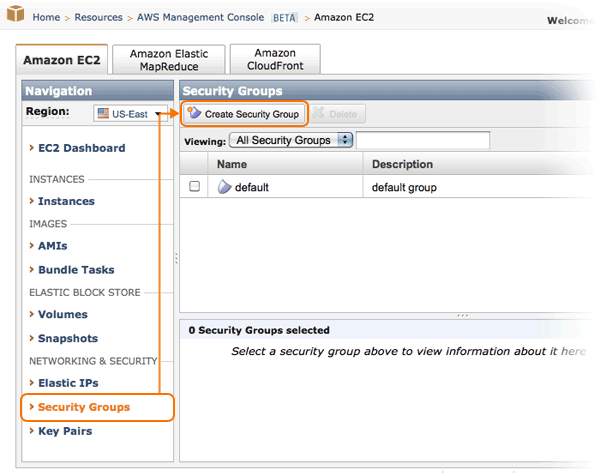
Enter the Security Group's name and description, for example, "On-Demand Server" and "For fasp file transfers", respectively. Allow connections of the following connection methods and ports:
| Connection Method | Protocol | Ports | Source |
|---|---|---|---|
| HTTP | TCP | 80 | 0.0.0.0/0 |
| HTTPS | TCP | 443 | 0.0.0.0/0 |
| Custom (fasp's SSH) | TCP | 33001 | 0.0.0.0/0 |
| Custom (fasp) | UDP | 33001 | 0.0.0.0/0 |