IBM Aspera Enterprise Server must be configured to work as a transfer server for IBM Aspera for Microsoft
SharePoint. These instructions assume that you have already set up your Microsoft SharePoint
environment and configured (provisioned) it for SharePoint apps.
Note: In order to use IBM Aspera Enterprise Server as the transfer server for Aspera for SharePoint, you must run Enterprise Server
on Windows 2012 or 2012 R2; or on Linux. Aspera recommends you run
Enterprise/Connect Server on a Linux host.
The basic steps are: - Install the transfer server.
- Create a system user on the transfer server host.
- Create a directory to be the transfer user's docroot.
- Create the SSH key for the system user.
- Add the new system user as a transfer user to Enterprise/Connect Server.
- Specify a docroot for the new transfer user.
- Modify aspera.conf.
- Ensure that the firewall is set up correctly on your transfer server host.
- Verify your transfer server license.
- Set up a node user.
- Configure the Aspera for SharePoint application.
These steps are described in detail below. All steps must be performed as root.
-
Add the sharepoint system user as a transfer user to Enterprise/Connect
Server.
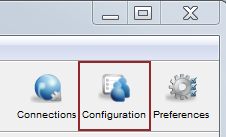
- Launch the Enterprise Server desktop application as administrator, and click
Configuration.
- In the Server Configuration dialog, select the
Users tab. Then click the
 button.
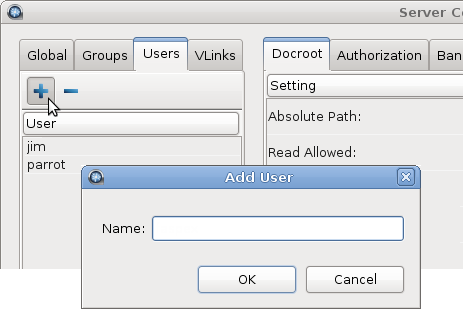
- In the Add User dialog that appears, type sharepoint and click OK. The system user sharepoint is then added to the user list.
- Launch the Enterprise Server desktop application as administrator, and click
Configuration.
-
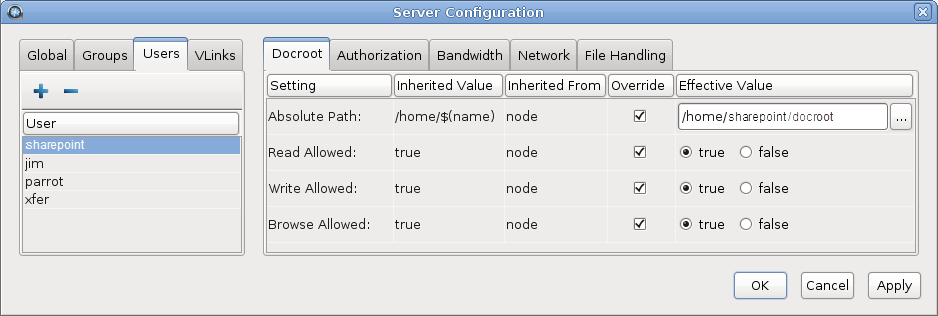
Specify a docroot for the new transfer user sharepoint.
Still in the Server Configuration dialog, select the Users tab and do the following:
- Make sure sharepoint is selected in the user list.
- Open the Docroot tab in the right-hand panel.
- Set the following on the Docroot tab:
Row Override Setting Effective Value Setting Absolute Path selected (checked) /Users/sharepoint/ or whatever location you created in Step 3 ad Allowed selected (checked) true Write Allowed selected (checked) true Browse Allowed selected (checked) true