Setting Up Users
Note: This topic describes setting up transfer user accounts with the GUI. If
you are setting up users in a terminal, see Setting Up Transfer Users (Terminal).
The Aspera server uses your system accounts to authenticate connections from remote clients. The system users must be added and configured as Aspera transfer users before remote clients can run FASP transfers with the server. When creating transfer users, you can also specify user-specific settings, such as transfer bandwidth, docroot, and file handling.
User configuration is an important part of securing your server. For a complete description, see Aspera Ecosystem Security Best Practices.
Important Configuration Notes:
- Some Aspera features require a docroot in URI format or require a file restriction instead of a docroot. For more information, see Docroot vs. File Restriction.
- If users connect to the server by providing Shares credentials or by providing Node API credentials that are associated with the transfer user, changes to a user's configuration, such as their docroot, are not applied to the user until the Aspera NodeD Service is restarted. For instructions, see Restarting Aspera Services.
To configure a system user account as an Aspera transfer user:
-
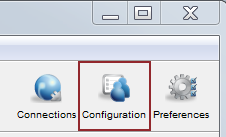
Click Configuration to open the configuration settings
window.
-
For server security, configure Global settings to
restrict users' transfer and system permissions.
-
Set a global docroot (Absolute Path) to an empty
folder or a part of the file system specific to each user.
If there is a pattern in the docroot of each user, for example, /sandbox/username, you can use a substitutional string. This way you assign independent docroot to each user without setting a docroot for each user individually
Substitutional String Definition Example $(name)system user's name /sandbox/$(name)$(home) system user's home directory $(home)/Documents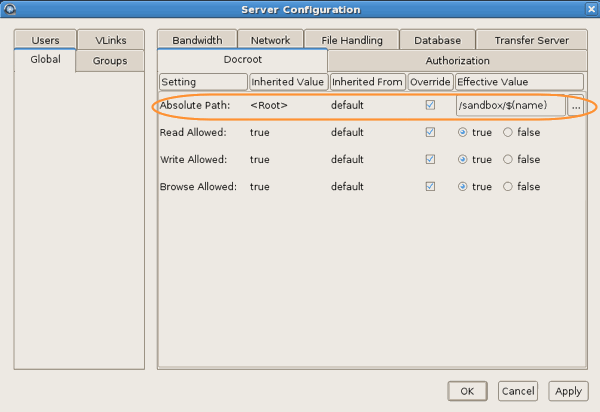
-
Set a global docroot (Absolute Path) to an empty
folder or a part of the file system specific to each user.
-
Add a system user to your Aspera server.
-
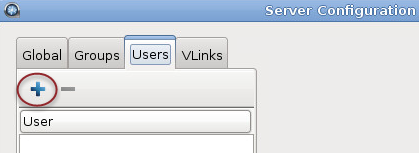
Click
 to add a new user.
-
Click
-
Set the user's docroot and transfer permissions.
-
Set a user-specific docroot, if the global docroot is not
adequate.
In the user's Docroot tab (Configuration > Users >username > Docroot), select the Override box for Absolute Path and enter or select an existing path as the user's docroot -- for example,
/sandbox/aspera_user_1. When finished, click OK or Apply.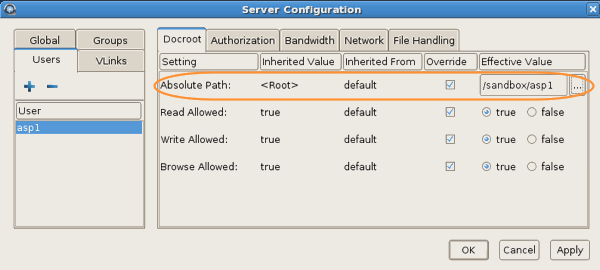
-
Set a user-specific docroot, if the global docroot is not
adequate.